Braze RSS Emails, Fully Automated
Braze has no native RSS email or third-party data feed integrations. Feedotter fills the gap automatically turning blog posts, job postings, security alerts, and financial performance reports into emails Braze email sends for you.









Why Braze Teams Choose Feedotter for RSS Email
Braze Alone (No RSS)
- No RSS email feed functionality of any kind
- Every blog post, job posting, or report built and pasted in by hand
- No automatic image discovery, resizing, or formatting
- Sends triggered manually, whenever someone remembers
- Marketing ops or IT needed to build each HTML email
Feedotter + Braze RSS
- Emails built and scheduled automatically as new content arrives
- Full feed ingestion — blogs, jobs, alerts, podcasts, any content can be automated
- Unlimited feeds and sources merged into one email automatically
- Per-article UTM tracking and analytics applied automatically
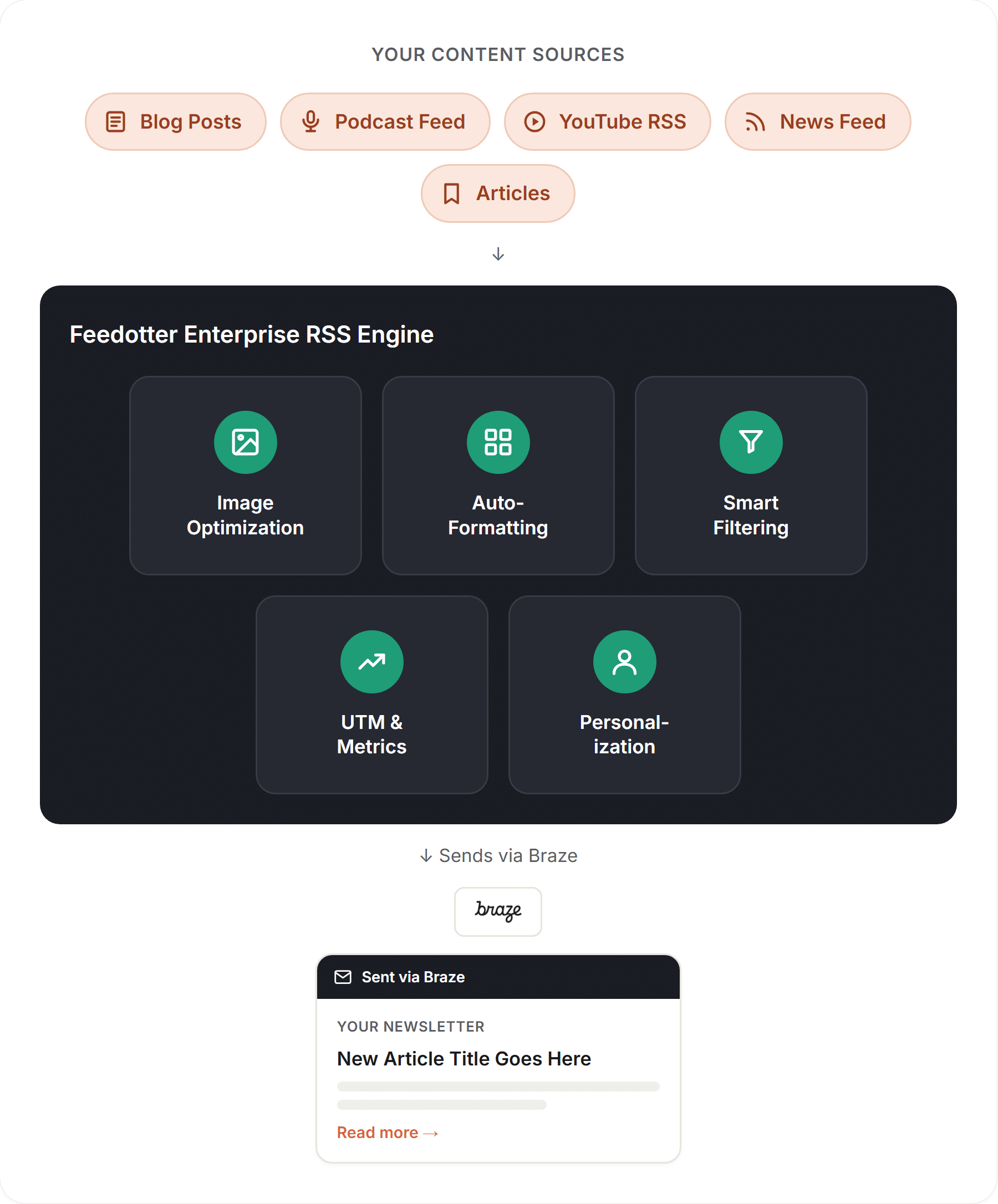
- Images are automatically found, formatted, and made perfect automatically
Multiple feed sources
Pull Every Content Source Into a Single Braze RSS Email
Braze e has no way to ingest an RSS feed, let alone merge several. If your content lives across a blog, a job board, a security bulletin, and a financial reporting system, there's no native path to combine them — each one becomes a separate manual build.
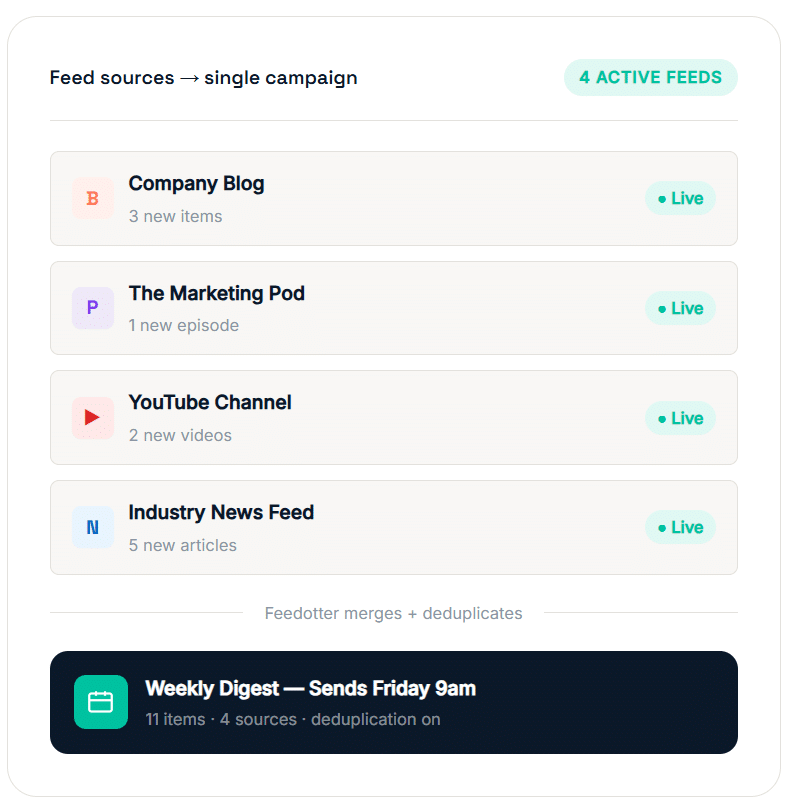
Feedotter connects to as many sources as you need — blog RSS, job posting feeds, security bulletin feeds, and financial data pulls — and automatically assembles them into one formatted email, sent through Braze on the schedule you choose.
- Connect blog, podcast, video, and news RSS feeds in one campaign
- Automatic deduplication — never send the same article twice
- Set minimum content thresholds before a send triggers
- Control item counts, ordering, and source weighting per email
Campaign dashboard
A Braze RSS Dashboard Built for Clarity
Native Braze has no equivalent view because it has no RSS or feed feature to view in the first place. Every content-driven email is either built by hand or invisible to the rest of the team.
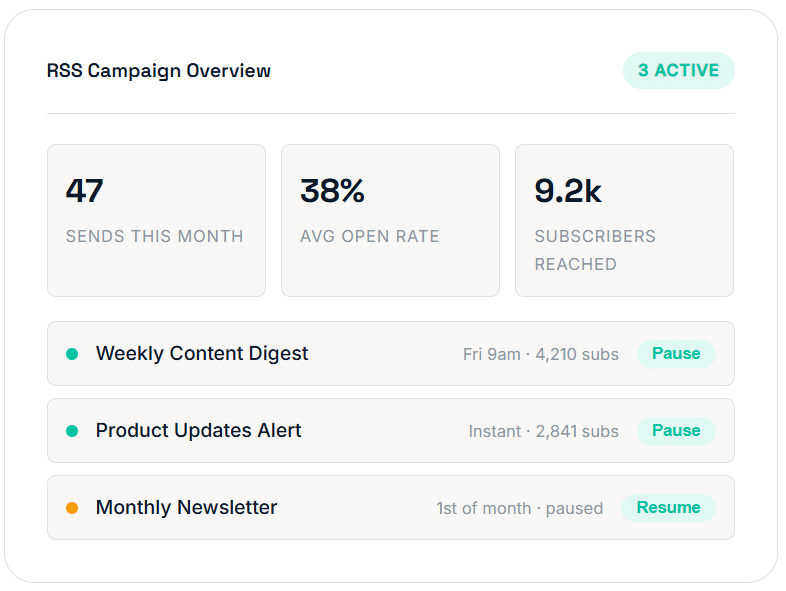
Feedotter gives every campaign a dedicated dashboard: active feeds, send history, open and click stats, and controls to pause or reschedule, all without filing a ticket.
- Unified view of all active Braze RSS campaigns
- One-click pause, resume, and schedule adjustments
- Full delivery history with content audit log
- Team-friendly views — share access without sharing your Braze seat
Automatic image optimization
Perfect Images in Every Braze RSS Email — Automatically
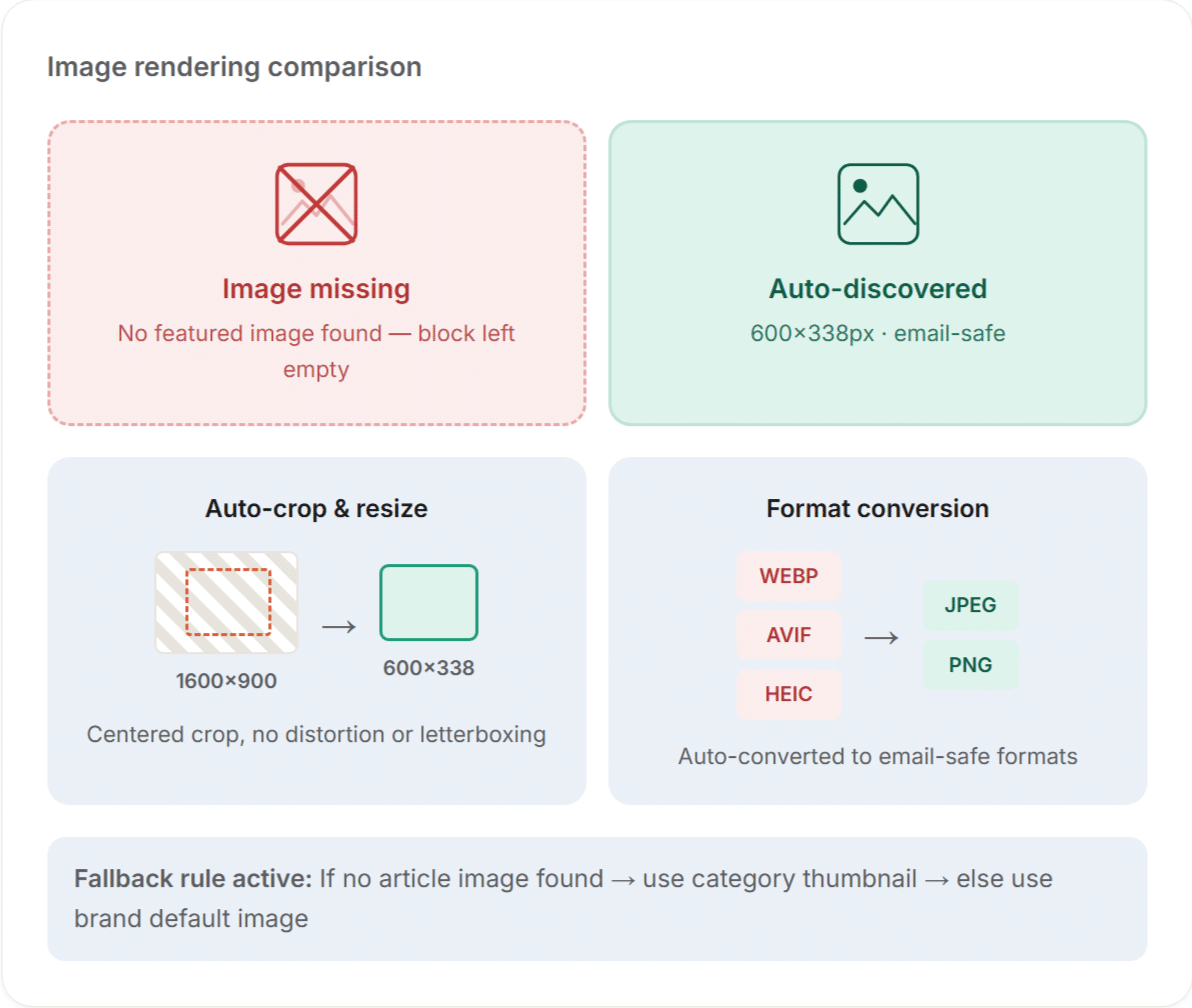
Braze has no mechanism to pull an image from a feed, let alone resize or optimize one — that logic simply doesn't exist natively. Left on its own, every image has to be sourced, cropped, and inserted by hand for every send.
Feedotter's engine finds each item's featured image, validates it, reformats it to your template's exact size, and provides a fallback when a source has none — so blog digests, job listings, and financial reports all arrive looking finished.
- Auto-discovers featured images from any RSS source
- Smart resize and crop — no distortion, no letterboxing
- Configurable fallback images per feed or campaign
- Converts WebP and unsupported formats to email-safe JPEG/PNG
Design & layout freedom
Never Start With An Empty Template
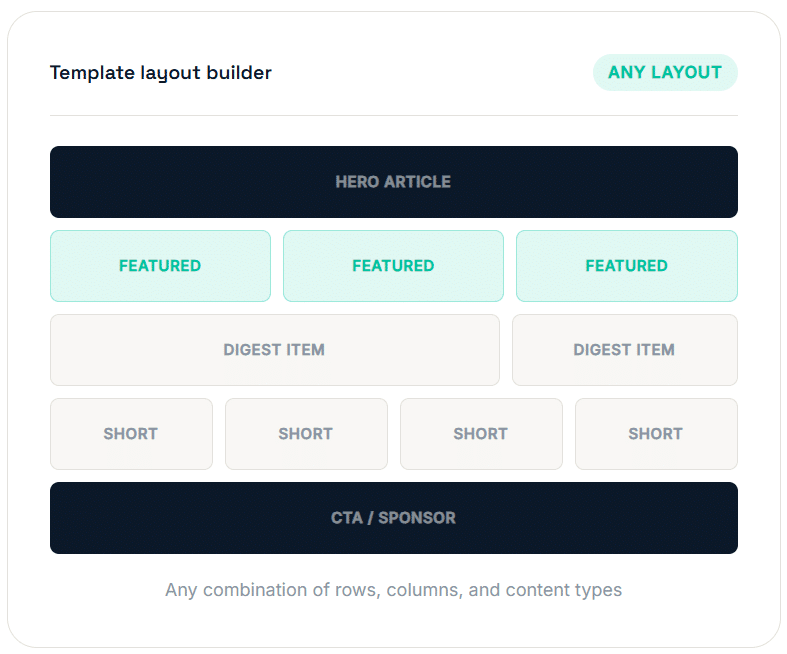
Since Braze has no native RSS rendering at all each email must be assembled by hand. This means countless hours of copy and paste for a single email. Every layout decision starts from a blank template.
Feedotter supercharges your Braze email templates turning them into automatically generated emails filled with content from your RSS feeds automatically.
Content filtering
Setup Braze RSS Emails With Content Rules
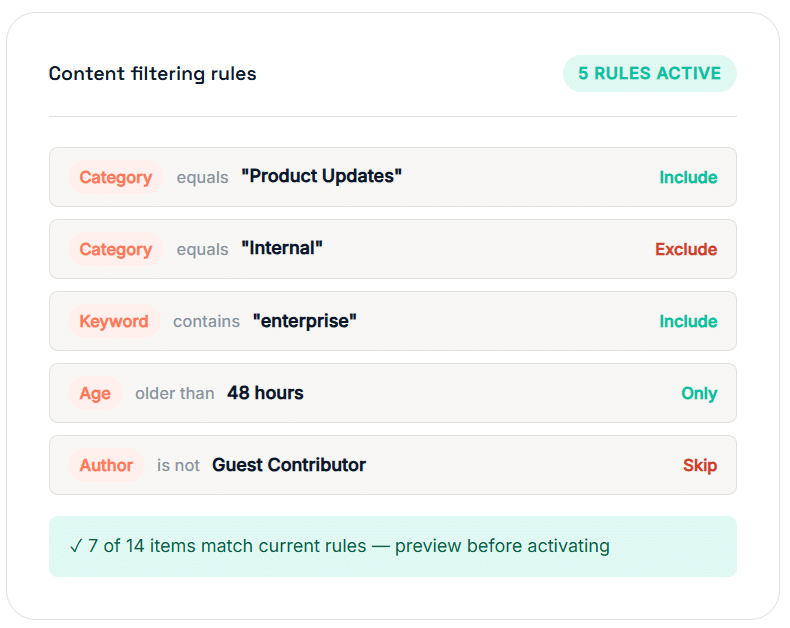
Not every item belongs in every audience's inbox — an internal security bulletin shouldn't reach prospects, and a job posting digest shouldn't include unrelated blog content. Feedotter lets you filter every feed by category, tag, author, or keyword before it ever reaches a Braze send — so every audience gets exactly the content meant for them, with no manual review.
- Filter by tag, category, author, keyword, or date range
- Minimum post age rules — avoid accidentally sending drafts
- Chain multiple rules with AND/OR logic
- Preview the filtered result before activating a campaign
Tracking & analytics
Full UTM Tracking and Per-Article Analytics for Braze RSS Campaigns
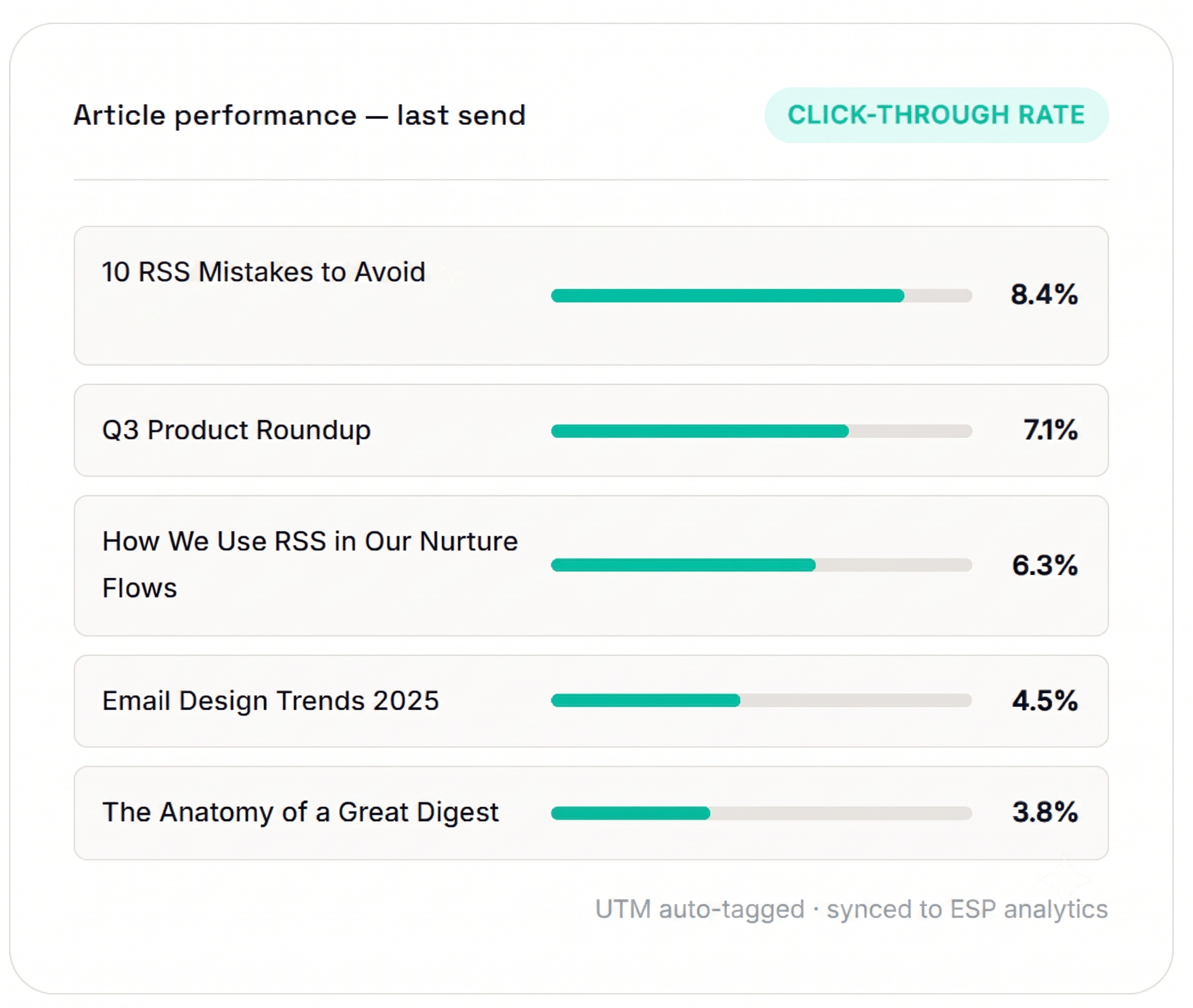
Braze shows open and click totals for an email, but nothing about which blog post, job posting, or report link actually drove the click — there's no native RSS or feed feature to report on in the first place.
Feedotter automatically tags every outbound link with UTM parameters and tracks engagement at the individual item level, reportable inside your website analytics and revenue dashboards.
- Auto-generated UTM parameters on every RSS link
- Per-article click tracking and engagement scoring
- Full send history with content-level reporting
Built for Speed, Consistency, and Accountability
Faster Time to Send
New content goes out the moment it's published — no dev ticket, no marketing-ops queue, no waiting on the next release cycle to get a blog post, job posting, or report into an inbox.
Consistent Every Time
Every email pulls from the same template and formatting rules, so quality doesn't depend on who happens to be building it that week or whether they remembered every step.
Built-In Audit Trail
Every send is logged automatically what went out, when, and images saved. Ready the moment compliance, legal, or leadership asks for a record.
Braze RSS — Questions We Hear All the Time
Everything marketers ask before using Braze RSS software from Feedotter.

No. Braze doesn’t provide an out-of-the-box solution for building, formatting, scheduling, and managing automated RSS email campaigns. Feedotter fills this gap with enterprise-ready RSS automation.
Feedotter connects to your blog’s RSS feed, automatically builds a formatted digest on the schedule you choose, and delivers it through your existing Braze campaigns or Canvases—no manual copy-and-paste required. Feedotter integrates directly with Braze and uses your existing audiences, subscription groups, and sending infrastructure. Your RSS-powered emails are still sent through Braze with the deliverability, compliance, and reporting you already rely on.
Yes. Feedotter treats a job board feed or a security bulletin feed the same way it treats a blog feed. It monitors the source, formats new items automatically, and sends through Braze the moment content is published or on a schedule you set.
Many financial services organizations use Feedotter to automatically turn market updates, research, investment reports, or other structured content into polished email campaigns delivered through Braze. The entire process is automated, eliminating manual report-building for every send.
Yes. Feedotter works with your existing Braze email templates, campaigns, and Canvas workflows, so you can add RSS and content automation without changing your existing customer engagement strategy.
Braze RSS Emails That Work the Way Your Industry Works
From financial research to security intelligence to editorial publishing — see how Braze users like yours use Feedotter every day.
Financial services
Automate Braze RSS emails for research, market updates, and personalized investment content sent straight to clients and advisors.
"We send a personalized prospectus digest to 12,000 clients every Monday through Braze it used to take a team of three all week now it's automatic."
See how financial teams use Feedotter for Braze →
Cybersecurity
Route threat intelligence and security advisories through Braze RSS emails automatically.
"Our security brief goes out within 20 minutes of a new CVE automatically routed to the right Braze subscriber groups."
See how security teams use Feedotter →
B2B Publishing
Automate the sending of weekly re-engagement emails to increase engagement and content value.
"Since adding a weekly Best Of digest email our website traffic per article has increased 25%"
See how publishers use Feedotter →
Healthcare
Deliver timely health news and bulletins as fast as they happen without waiting for your marketing team to build a unique newsletter every time.
See how healthcare orgs use Feedotter →
B2B SaaS
Keep customers engaged with automated Braze RSS emails for product updates, release notes, and curated content, without taxing your marketing team.
"Our product newsletter used to take two days to build. Now it goes out automatically every Tuesday morning."
See how financial teams use Feedotter →
Associations
Keep members informed with Braze RSS newsletters that pull from your publications, events, and member content automatically.
"IEEE sends 14 different member newsletters across chapters all built and scheduled inside Feedotter."