Get More From Your Mailchimp Automation
Mailchimp automates your campaigns, scoring, and lead flow. Feedotter extends your Mailchimp automation to include everything that goes inside the email, merging outside data and content into a finished, on-brand email sent from your existing Mailchimp software.






Mailchimp Automation, Alone vs. With Feedotter
Mailchimp Alone
- No native way to merge outside APIs or data into automated emails
- No native RSS-to-email for blogs, podcasts, or video
- Native email editor is rigid, dated, and hard to use
- Every contributor needs a Mailchimp seat to build or send
Mailchimp + Feedotter
- Merges APIs, databases, and spreadsheets into one automated send
- Automated blog, podcast, and video digests on any schedule
- Modern block-based or full-control design builder
- Build, review, and schedule from Feedotter with no extra licenses
Extend Mailchimp Automation With Any Third-Party Data Source
Mailchimp automation is excellent at triggering, scoring, and routing, but it has no native way to merge outside data into an email. That's a real gap for many enterprise customers that need rich data-merging and automation. Feedotter closes that gap, extending your Mailchimp automation to merge into third-party data, apis, and content.
- Connect to any API, database, or spreadsheet, no custom development required
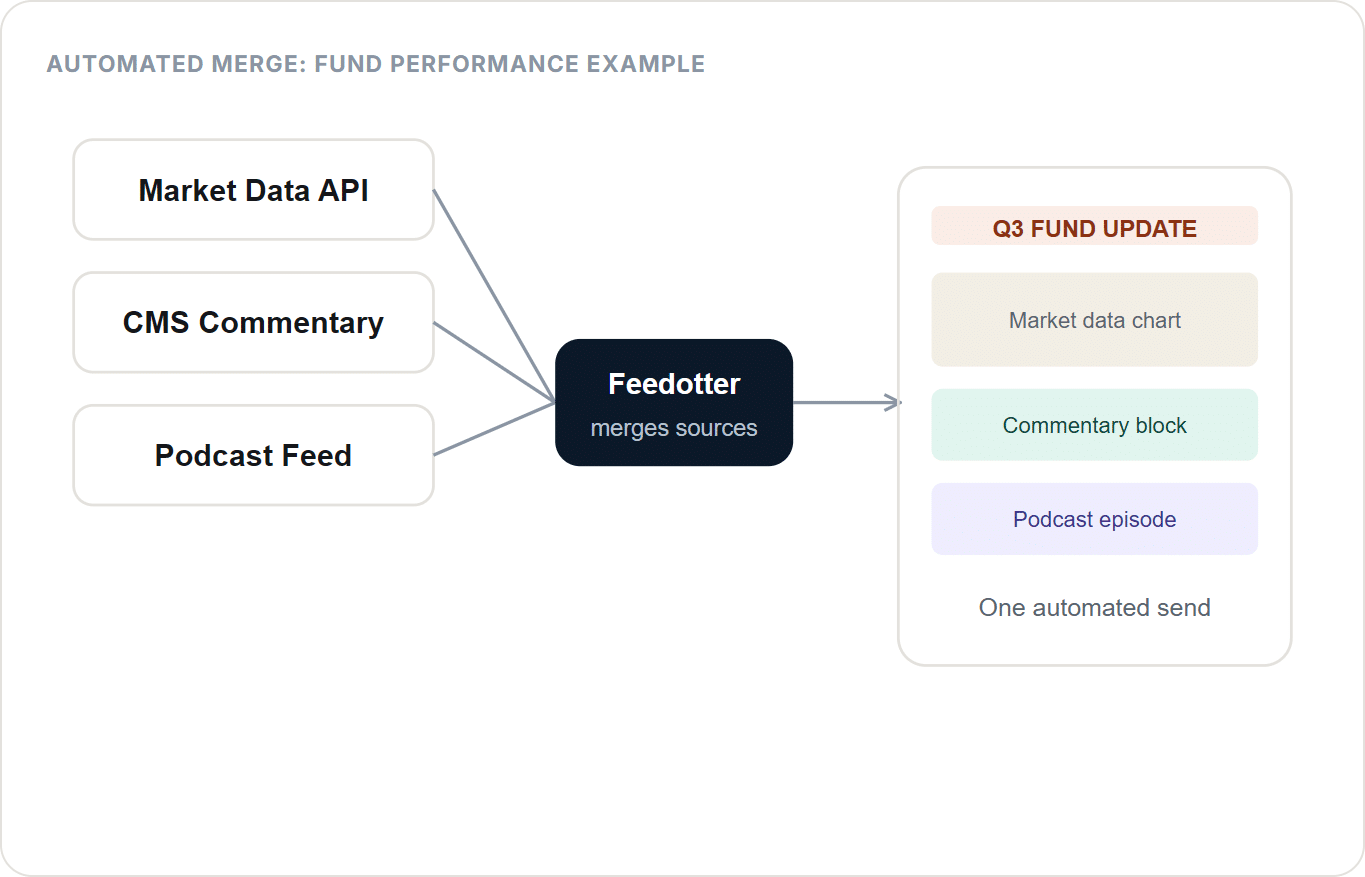
- Merge multiple data sources into a single email (market data + commentary + a podcast clip, for example)
- Fully automated pipeline from source to Mailchimp send, running on your schedule
- Images pulled in from any connected source are automatically optimized for email
Real Feedotter use cases: job board emails assembled across hundreds of locations and countries, multi-language product alert emails, and financial fund-performance emails that blend market data, written commentary, and a podcast episode into one send.
The Newsletter Builder Mailchimp Forgot
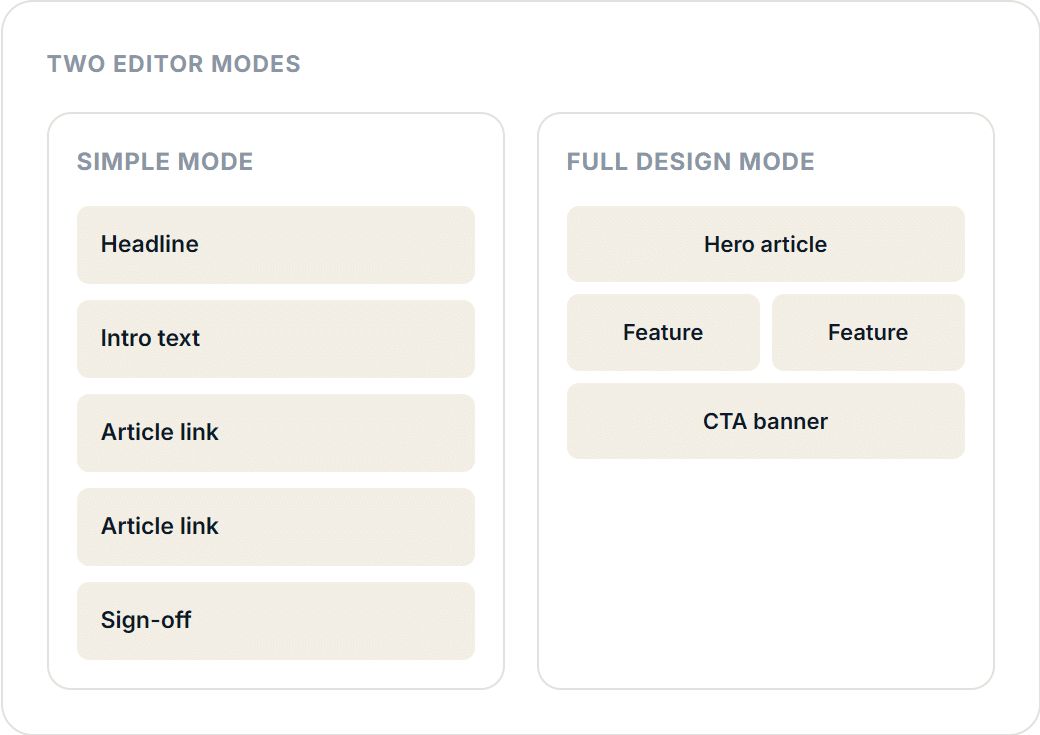
Mailchimp's native email editor is rigid and dated, and every send takes longer than it should. Feedotter adds a dedicated newsletter builder to your Mailchimp marketing automation, with two editor modes: a fast, block-based mode for quick sends, and a full row-and-column mode when precise design control matters.
- Simple mode: build block-by-block, no rows or columns to manage, a Substack/Beehiiv-style flow
- Full design mode: complete row, column, and layout control for polished, on-brand sends
- Content agents create first-drafts automatically so your editors never start from a blank page
- Finished HTML publishes straight into a Mailchimp email asset or template
Explore the Mailchimp Newsletter Builder
Explore the Mailchimp Email Builder
Enterprise Mailchimp RSS Automation for Alerts, Articles, Newsletters, and more
Mailchimp has basic RSS-to-email capability. This works great if you need to email a blogs post here and there. If you need enterprise-grade rss automation with multiple feeds, multiple segments, interest group personalization the built in RSS email features won't work. Feedotter solves this problem for customers by adding a Mailchimp automation that goes miles above and beyond the built-in features.
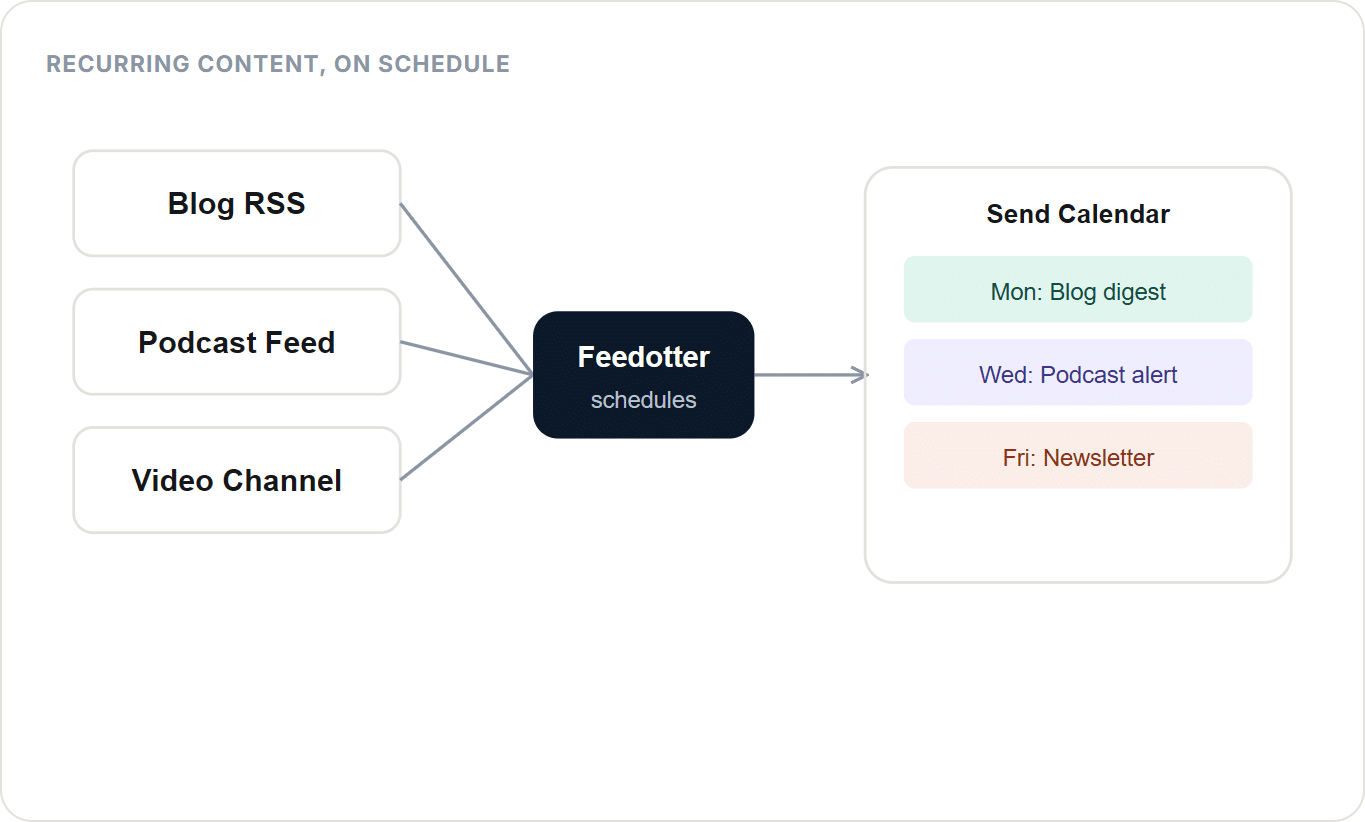
- Automate blog post digests, podcast episode emails, and video release alerts
- Pull from multiple RSS feeds into a single scheduled send
- Runs on autopilot once configured, no manual rebuilding for each issue
- Podcast art and post images are automatically pulled, resized, and optimized for email
Learn more about Mailchimp Enterprise RSS Automation
Automate Mailchimp Sends Without Buying More Seats
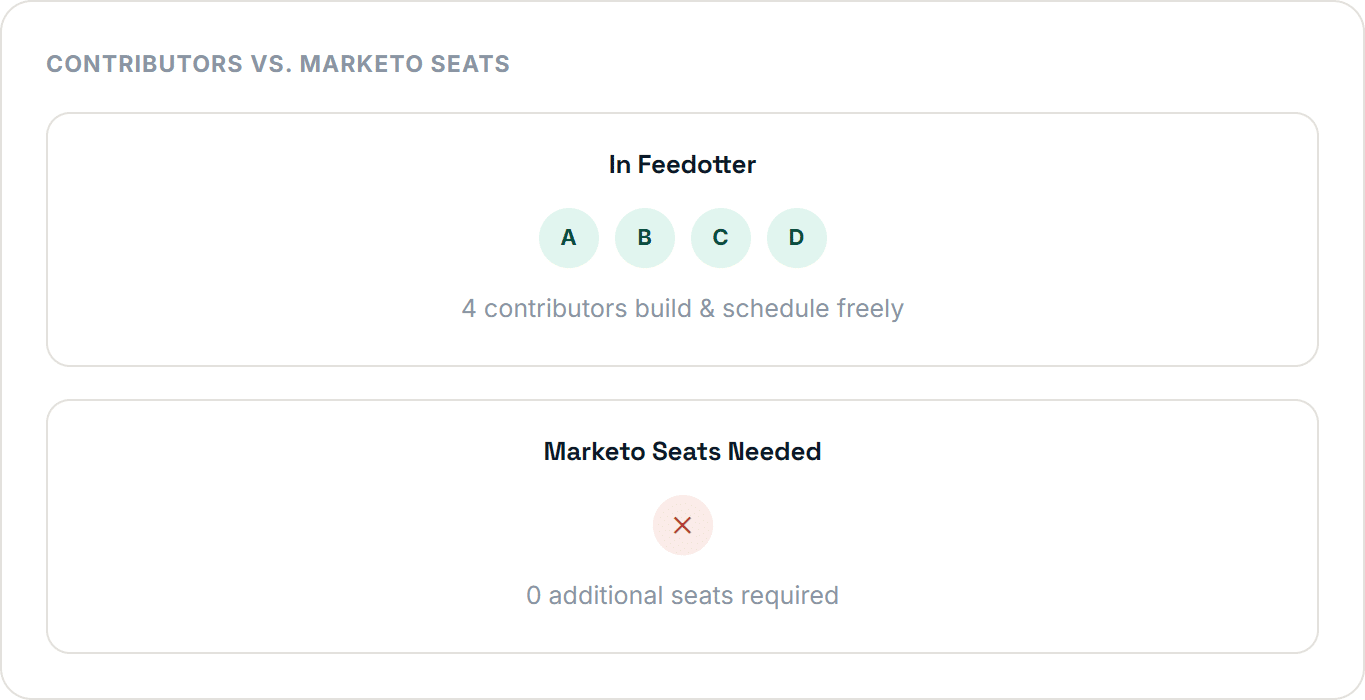
Contributors build, review, and schedule sends entirely inside Feedotter, no need to log into Mailchimp or hold a seat license just to manage your Mailchimp marketing automation.
- Build, approve, and schedule sends entirely from the Feedotter interface
- No additional Mailchimp licenses needed for contributors or editors
- Sending still executes natively through Mailchimp, reporting and deliverability untouched
- Reduce errors and eliminate training employees on Mailchimp
Explore Every Way Feedotter Extends Mailchimp Automation
Feature
Mailchimp Newsletter Builder
A modern, no-code newsletter builder for Mailchimp in the style of Substack or Beehiiv.
Feature
Enterprise RSS Automation
Automate blog, podcast, and video digests into Mailchimp emails. No native RSS support required.
Feature
Mailchimp Email Builder
Design precise, on-brand Mailchimp emails with full row-and-column layout control.
Enterprise-Grade Automation, Not a Consultant Script
The Mailchimp marketing automation ecosystem has plenty of consultants who claim to offer data + Mailchimp automation. These are typically hacks and scripts from well-meaning firms without true enterprise-grade infrastructure. Feedotter is SOC2 certified and ready for your most compliant project needs.
SOC2 Certified
Independently audited security controls give the assurance level enterprise IT and security teams require.
Minimal Permissions
Create-and-approve-only API access. Zero access to leads, contacts, or your Mailchimp database.
Workspace Ready
Full support for Mailchimp workspaces, plus multiple Mailchimp accounts inside one Feedotter account.
Mailchimp Stays Mailchimp
Independently audited security controls give the assurance level enterprise IT and security teams require.
FAQs
Everything you need to know about the product and billing.
Can't find the answer you're looking for? Please contact our friendly team.

Not natively. Mailchimp’s automation engine handles triggering, scoring, and routing well, but it has no built-in way to merge data from an outside API, database, or spreadsheet into an email. Feedotter adds this capability, connecting to outside sources, merging the data with your content, and publishing the finished email into Mailchimp.
No. Feedotter’s Mailchimp integration uses a minimal REST API permission set limited to creating and approving objects and programs. It never requests access to leads, contacts, or your database.
No. Contributors build, review, and schedule sends entirely inside Feedotter. There’s no need to seat every editor or contributor in Mailchimp sending still executes natively through Mailchimp.
Yes. Feedotter is SOC2 certified and built for enterprise use, including support for multiple Mailchimp workspaces and multiple Mailchimp accounts inside one Feedotter account.
No. Feedotter builds and publishes the finished email into a Mailchimp email asset, template, or program. Mailchimp still executes the actual send, and all of Mailchimp’s native email reporting stays fully intact.