Built specifically to pair with Marketing Cloud’s audience and subscription data
Marketing Cloud + FEEDOTTER
The Marketing Cloud Newsletter Builder Software
Marketing Cloud is built to manage your audience, subscriptions, and sends. It was never built to help you design a newsletter. Our Marketing Cloud newsletter builder gives your editors a real workspace for content, layout, review, and testing, with agentic first-drafts doing the heavy lifting.
See It With Your Marketing Cloud Content30-minute walkthrough, built around your actual Marketing Cloud audience and content

Newsletter Builder,
The Missing Piece
Email platforms are excellent at sending, deliverability, list management, compliance. What they were never designed for is the actual work of building a newsletter: pulling content from multiple sources, laying it out well, getting it reviewed, and getting it right before it goes to thousands of subscribers.
That gap gets filled today with copy-paste, screenshots in Slack, and an editor rebuilding the same template by hand every week. Feedotter is the Marketing Cloud newsletter builder layer that sits on top of your ESP and closes that gap without asking you to migrate a single list.
That gap gets filled today with copy-paste, screenshots in Slack, and an editor rebuilding the same template by hand every week. Feedotter is the Marketing Cloud newsletter builder layer that sits on top of your ESP and closes that gap without asking you to migrate a single list.

Newsletter Automation You Control
Our Marketing Cloud newsletter builder connects to your content sources; websites, blogs, podcasts, videos, feeds, and automatically assembles draft issues on the schedule you set. Your editor opens a newsletter that's already mostly built, addressed to the right Marketing Cloud segment, instead of starting from Marketing Cloud's blank editor every time.

Newsletter Testing Tools
Marketing Cloud's native newsletter editor doesn't give you a real way to preview, test, or share a newsletter before it goes out. Feedotter generates a live, shareable landing page version of every issue, sends real test emails to a test list, and exports clean images of the finished newsletter for anyone who needs to sign off — ad sales, legal, or an executive who just wants to see the final product.

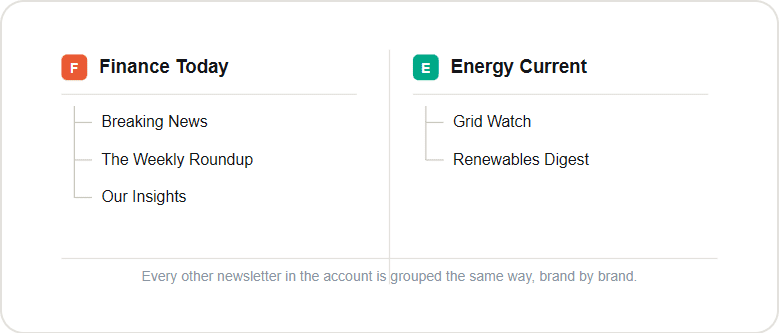
Built For Multi-Brand Newsletter Operations
Every newsletter isn't the same shape. Feedotter's Marketing Cloud newsletter builder gives Marketing Cloud publishers two purpose-built editors, and you can run both from the same account, against the same Marketing Cloud audience data.
Multiple Newsletter Editor Modes
Every newsletter isn't the same shape. Feedotter gives Marketing Cloud publishers two purpose-built editors, and you can run both from the same account, against the same Marketing Cloud audience data.
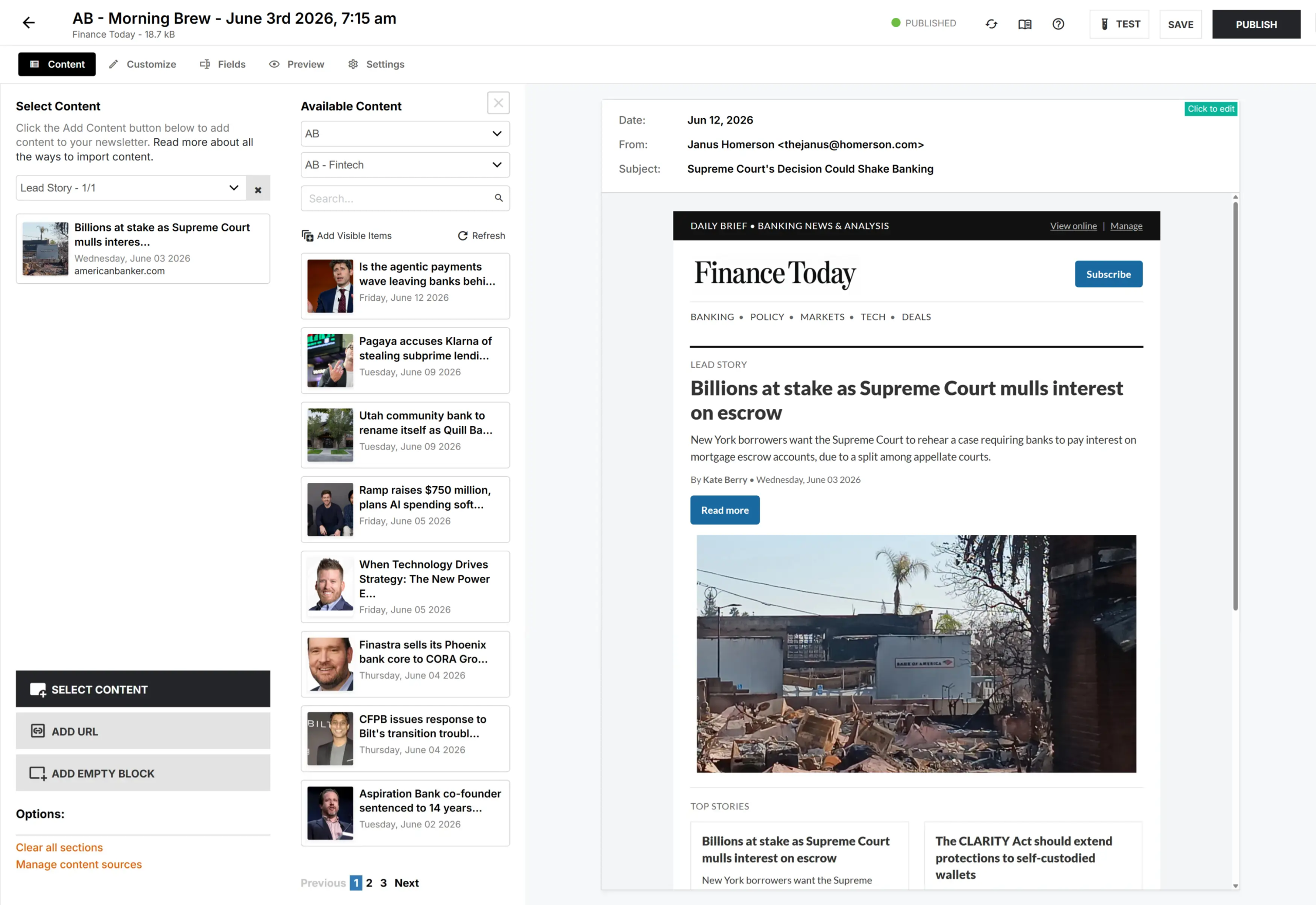
CURATED EDITOR
The growth engine behind your content.
The drag-and-drop workspace for editorial teams assembling structured, multi-column digest newsletters full of feature articles, short items, ads, and sponsor slots, all in one issue, sent through Marketing Cloud.

MODERN EDITOR
Clean, block-based writing - Substack-style
A modern, distraction-free writing surface for single-voice newsletters. Write, drop in an image, a social post, an event and publish. Built for editors who want something as clean as Substack or Beehiiv, still sending through Marketing Cloud.
Live Preview
See It With Your Marketing Cloud Content
Bring your Marketing Cloud audience segments and your content sources. We'll show you exactly how your team would build, review, test, and send an issue through Marketing Cloud start to finish.
30-minute walkthrough, tailored to your content

What is a newsletter builder?
Feedotter provides an Marketing Cloud newsletter builder. It works alongside your Marketing Cloud account and is not a replacement for it. Marketing Cloud continues to manage your audience data, subscriptions, and email delivery Feedotter adds the content, layout, review, and testing layer that Marketing Cloud’s native editor doesn’t provide.
What is the Marketing Cloud newsletter builder?
The Marketing Cloud newsletter builder refers to Feedotter’s newsletter building layer for Marketing Cloud customers — a dedicated tool for assembling, reviewing, and testing newsletters that then send through Marketing Cloud, replacing Marketing Cloud’s built-in editor for content-heavy publishing work.
Can Feedotter use my existing Marketing Cloud audience queries and segments?
Yes. Feedotter connects to your content sources and targets the exact Marketing Cloud Audience Builder Query or Recipient List you assign per newsletter. No rebuilding segmentation logic Marketing Cloud already has.
How does the content integration work? Can it pull from my CMS?
Marketing Cloud’s native editor is designed for basic email delivery, not for the layout flexibility, drag-and-drop content tools, or review workflow that a content-heavy publishing team needs on a recurring basis. Most Marketing Cloud publishers end up building newsletters elsewhere and pasting the result back in. Feedotter removes that workaround.
Is Feedotter suitable for Marketing Cloud accounts running multiple publications or brands?
Yes. Feedotter supports unlimited templates, one per publication or brand, all managed from a single account. A common setup among Marketing Cloud’s multi-brand publisher customers.
Do I still send through Marketing Cloud if I build my newsletter in Feedotter?
Yes. Feedotter builds and reviews the newsletter; the finished issue is handed back to Marketing Cloud for delivery through your existing Marketing Cloud sending setup, with no change to your deliverability or list architecture.
Join These Publishers using
Marketing Cloud with Feedotter
Experience the workflow and efficiency of using Marketing Cloud and Feedotter to build and operate your newsletter business today.


The Marketing Cloud newsletter builder your team deserves.
Schedule a demo