

Looking for a more efficient way to leverage and amplify your content with Pardot?
If you’ve been strategizing how to deliver more relevant, timely content, but are already short on work hours and manpower, integrating RSS feeds into Pardot offers a solution that automates the process, saving you valuable time and resources while maintaining the quality and consistency of your email communications.
By integrating an RSS feed into Pardot, you open the door to automate your content marketing emails.
It’s a golden opportunity to significantly streamline your content creation processes while ensuring that all communications remain timely and engaging.
What is an RSS feed?
An RSS feed (which stands for Rich Site Summary or Really Simple Syndication, depending on who you ask) is a standardized format used to publish frequently updated content from websites, blogs, and other online platforms. Typically, an RSS feed contains a headline, summary, and links to the full article or post.
RSS feeds contain all the essential components that you need when curating content for your newsletter, whether you’re only working with your own website content or are curating a mix of industry news from across the web.
3 reasons to integrate an RSS feed into Pardot
Since RSS feeds are a great way to automatically source updated content from online sources, they can be a great time-saver when you’re building a content alert email or news roundup type email.
If you’re a Pardot user, here are three great reasons to integrate RSS feeds in your email newsletter:
1. Automate content updates from your blog
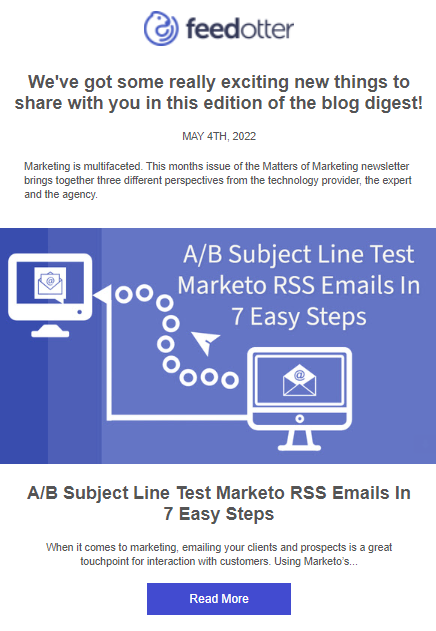
Do you send out email campaigns featuring fresh content from your website or blog? By integrating an RSS feed, you can automatically populate your email campaigns with fresh content, saving time and effort that can be reallocated towards more creative ventures.
2. Personalize podcast notifications
If you have an active podcast, your number one priority is creating and producing each episode. Unfortunately, the work doesn’t stop there: after each episode is produced, you have to get the word out there and promote it, so that your existing audience stays engaged and up to date on what you’ve been working on.
While podcast platforms send out their own notifications to podcast subscribers, the notifications are easily overlooked.
When you integrate an RSS feed with Pardot, you are setting yourself up for success to streamline your automated podcast emails in a way that’s timely, personalized, and notable.
Bonus: by using this approach, your podcast becomes a high-quality lead gen source.
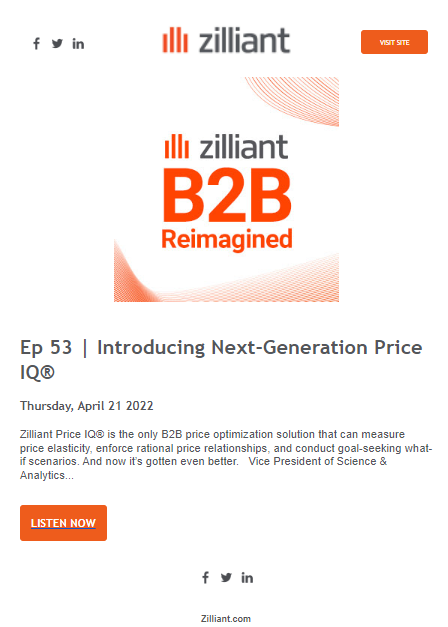
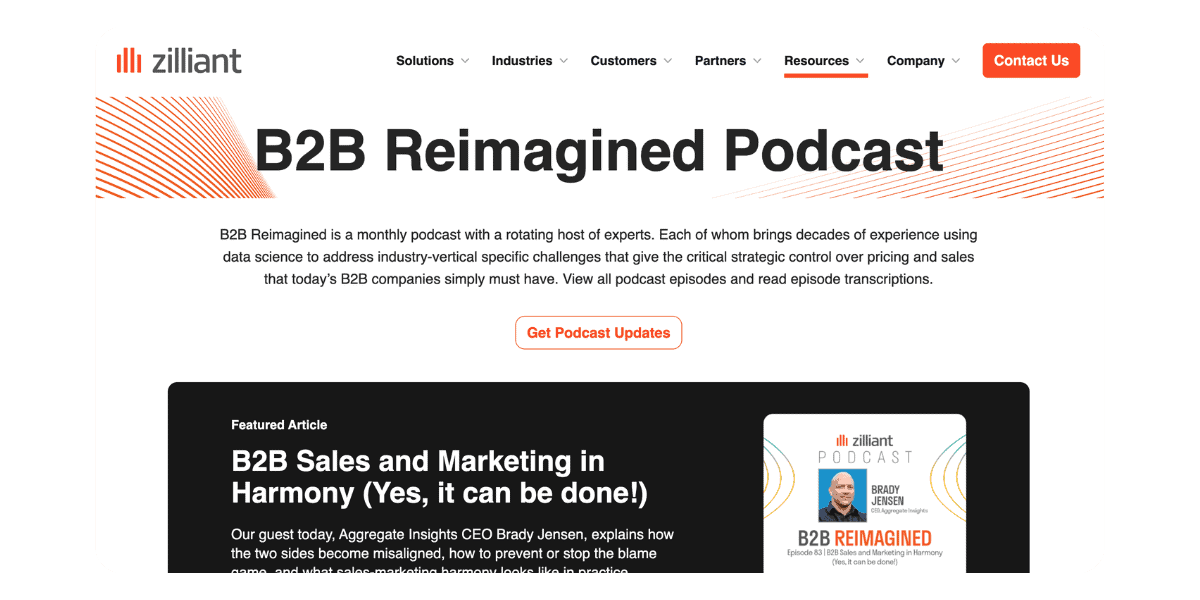
A great example is Zilliant’s “B2B Reimagined Podcast”, which you can subscribe to here.
3. Deliver timely digests and newsletters
Newsletters and digests are an efficient way to make sure your users are always up to date on your latest business features, processes, and benefits.
Well-designed newsletters help subscribers understand more about your product and content while delivering an engaging, almost interactive feel. By integrating an RSS feed with Pardot, you are saving time creating beautiful newsletters or digests. Using RSS data to automate newsletters allows editors to have full control of the content put in the newsletters and digests.
Another great example here is Mining [Dot] Com’s newsletter.
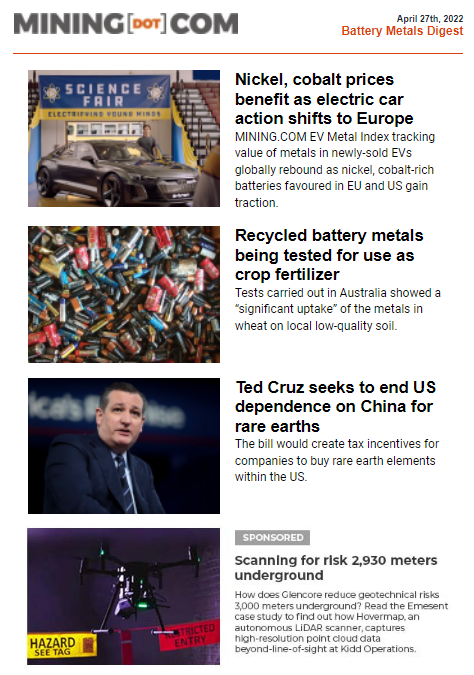
Bonus: Accomplish all of the above
Many teams work with a variety of content sources, from blogs to podcasts to YouTube channels.
The problem is that the more content you pull in, the longer it takes to curate, style, and build the email itself. A single email can take hours of setup time…multiply that by the number of emails per week (or per day) that you send out, and you might be looking at a staggering amount of time spent just on sourcing content and building the email.
This is where it really starts making sense to automate as much of the process as you can, so that you can reduce the time spent building the email itself from hours to mere minutes.
So here’s how to do it:
How to integrate an RSS feed into Pardot
There is no native integration for Pardot to pull in your RSS feed, so you’ll need a Pardot add-on called Feedotter, a user friendly tool that’s designed specifically for this purpose: to automate your content emails by pulling content from your RSS feed.
To get set up, all you have to do is:
- Register for a Feedotter account (you can sign up for a free trial—no credit card required).
- Add your RSS source(s). While the Basic plan of Feedotter only includes one feed source, free trial users and subscribers of Plus and Enterprise tiers can add multiple feed sources.
- Instead of using the Pardot email builder, you’ll set up (and send) the email from inside your Feedotter account, from subject line to automated sending parameters.
- Integrate with your Pardot account.
- Test (and test again!), before hitting save and publish on your automated email campaign.
…and that’s it.
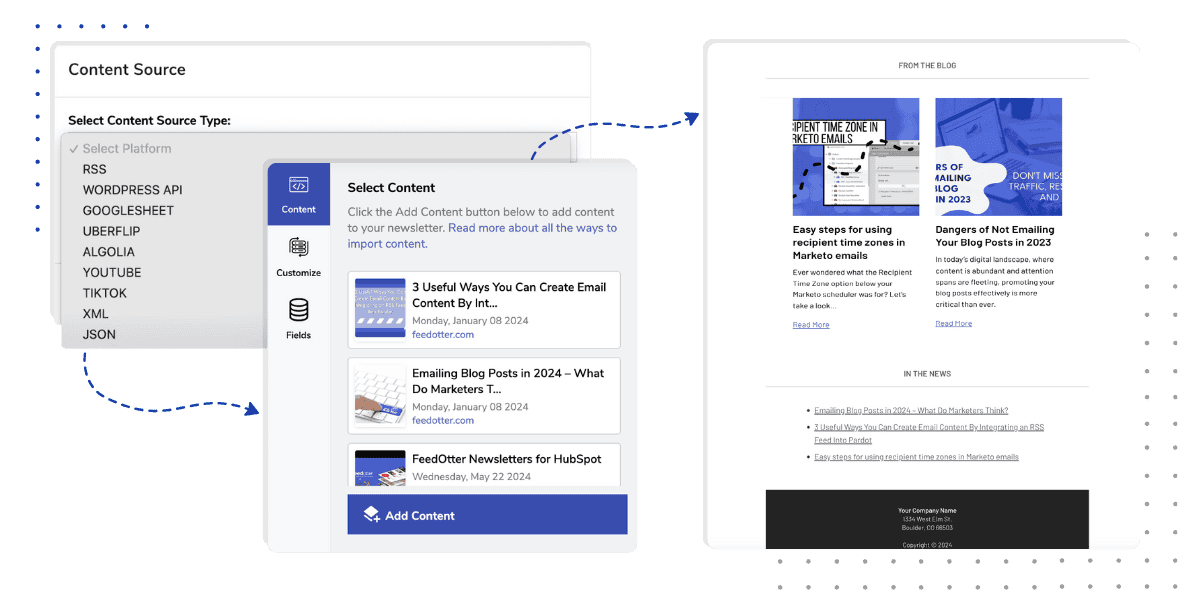
Feedotter can now generate and send your emails, which you can view like any other email from within your Pardot account for easy monitoring. With Feedotter’s Pardot integration, you have hands-off automation, smart-sense technology that ensures old content is never sent twice, as well as access to 30+ responsive Pardot email templates you can utilize for quick setup, or add your own custom email design.
Not only that, but Feedotter also offers advanced scheduling for you to plan out campaign sends automatically, a braided feature that allows you to use multiple RSS feeds, team collaboration, and a sent history that notifies you when an email is sent.
Note: Feedotter isn’t limited to RSS feeds. It can also auto-curate content from YouTube, TikTok, podcasts, and more.
Want to give it a try? Sign up for a 7-day free trial of Feedotter—no credit card required.
A note on integrating with Zapier & why it’s not a great option for Pardot emails
When looking for an RSS integration with Pardot, you’ll see Zapier often listed as an option. Don’t get me wrong: I love Zapier, I use it personally, and it has saved my hours of time BUT this is a case when one-size-does-not-fit-all. In fact, using a generic tool such as Zapier to automate marketing emails can be downright dangerous for your email strategy as a whole.
I have been building Feedotter and working with RSS feeds for over 12 years and have designed a solution that solves common issues with RSS feeds like:
- RSS feeds failing
- Post dates that get updated and re-published
- Feed data that contains bad characters
- Feedotter is automated RSS email for Pardot and has been built to prevent, handle, and recover from all of these dangers that come standard with RSS feed automation.
If you try to DIY your Pardot email with Zapier, these common RSS situations can result in failed automations—or worse, sending out duplicate or broken emails. For more information, here is the link to Zapier’s page on Pardot integration.
Final Thoughts
It can be frustrating that pulling RSS feeds to create emails is not included with Pardot. The Zapier plugin allows you to get insight into your prospects with triggers by integrating an RSS feed with Pardot.
With Feedotter, you can integrate your RSS feed into your Pardot emails in less than half an hour and automate those additional content email sends. Emailing your blog post updates, podcast notifications, newsletters, and digests are all amazing ways to reach your subscribers and are some of Feedotter’s features that will enhance your email marketing abilities.
Get started today making your marketing visions a reality in less time and a better professional email send.